Fraud against the elderly via text messages, social networks, and malicious links
Currently, scammers are taking advantage of the elderly's anxiety about illness, their desire for extra income, and their kindness to carry out many sophisticated scams. Besides phone scams (voice phishing/vishing), text message scams are one of the […] from Fraud against the elderly via text messages, social networks, and malicious links
by
Editor CLD
schedule04/12/2025
Currently, criminals are taking advantage of the elderly's anxiety about illness, desire for extra income and kindness to carry out many sophisticated scams. In addition to the trick voice phishing/vishing, text message scams are one of the most common forms.
This is a scam that takes advantage of the elderly's lack of knowledge about cybersecurity and simple internet usage habits. The scammers attack through daily communication channels such as SMS, Zalo, Facebook Messenger.
Fraudsters take advantage of the reputation of organizations such as Banks, Electricity Companies, and Social Insurance to send fraudulent messages. Particularly dangerous is the fake Brandname SMS trick (fraudulent messages are in the same thread as real messages from banks).
Step 1: Spread the message carpet
The victim receives a message from a strange number or even from a brand name identical to the bank/government agency.
Decoy content:
Appealing to greed: “Congratulations to the winning subscribers…”, “You will be refunded your electricity/water bill…”, “Receive support money from the insurance fund…”.
Play on fear: “Your bank account is locked/hacked…”, “Security warning…”.
Step 2: Lure to access fake link
The message asks the victim to click on an attached link to “receive a reward” or “verify their account.”.
The link often has a domain name similar to the real page but with incorrect characters (For example: vietcombank-vip.com instead of vietcombank.com.vn).
Step 3: Steal information
When clicking on the link, a fake website appears with an interface identical to the bank website.
The victim trusts to enter Username, Password and OTP code.
Step 4: Account hijacking
The scammer used the stolen information to log into the real account and transfer all the money in seconds.
Impersonating relatives via social networks
For this trick, scammers often try to take control of (hack) the Facebook/Zalo account of an acquaintance, or create a fake account (clone) to scam.
Step 1: Approach
From the accounts of acquaintances/children, scammers send messages asking about health to create trust.
Step 2: Create a reason to borrow money
Give urgent reasons: “I need money to pay for something urgently”, “My friend had an accident”, “My account has an error and cannot transfer money, please transfer it to this number…”.
The account receiving the money is usually a stranger's account (bought/rented by a crook).
Step 3: Deal with doubts (using deepfake AI)
If the victim is suspicious and makes a video call, the scammer uses AI technology (Deepfake) to add the face and voice of a relative.
The calls are usually very short, the images are blurry, intermittent, and the sound is unclear. The scammer will use the excuse of “weak network” or “poor signal area” to quickly hang up, making the victim believe that he has just seen his real children.
Signs of recognition
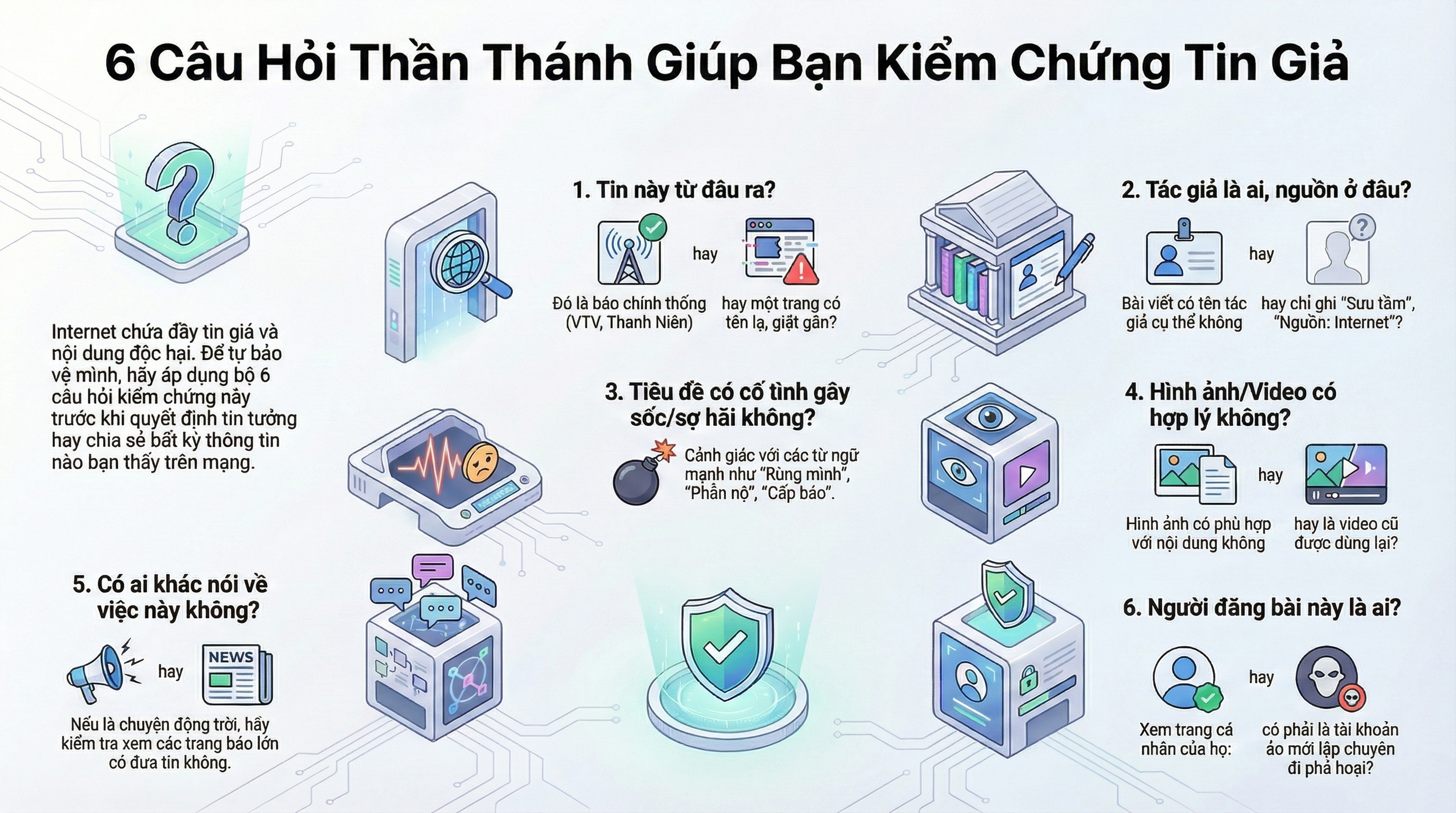
Elderly people should be instructed to be alert to the following signs:
Strange link: Message contains link (blue text) with strange characters, strange extension (not .vn, .com.vn).
Sensitive request: Any website that asks for Password and OTP Code to claim the reward is a scam.
Strange receiving account: Relatives asked to borrow money but asked to transfer it to a stranger's account number, not the same name as the relative.
Abnormal video call: The facial movements are awkward, the lip syncing doesn't match the speech, the video quality is very blurry and disconnects quickly.
Preventive solutions
To protect the elderly, it is necessary to combine personal awareness and technical barriers from the family.
3 NOs for the elderly
DO NOT CLICK: Never click on strange links sent via text messages/Zalo, no matter how curious you are.
DO NOT ENTER: Never enter passwords, OTP codes, or bank card numbers on strange websites.
DO NOT TRANSFER IMMEDIATELY: If you receive a message asking to borrow money, pick up the phone and call the person directly (regular voice) to confirm the real voice.
Technical support from family
Security settings: Set up biometric authentication (fingerprint/FaceID) for banking applications on the elderly's devices to limit the need to manually enter passwords (which are easily exposed).
Filter information: Support blocking spam messages, turning off distracting advertising notifications.
Set limits: Set low transfer limits on seniors' accounts to minimize losses if risks occur.





 English
  Vietnamese